Applies to: All Employees, Team Leaders/Managers and HR/Customer Administrators
The skills tab of My Details is the place to record your list of skills or qualifications. For example, you could add ‘Microsoft certified systems engineer’ or ‘Prince2 Professional’. You could also add that you are a Fire Marshall and any other skills that are relevant to your role or business.
- An example of a populated skills table is shown below.

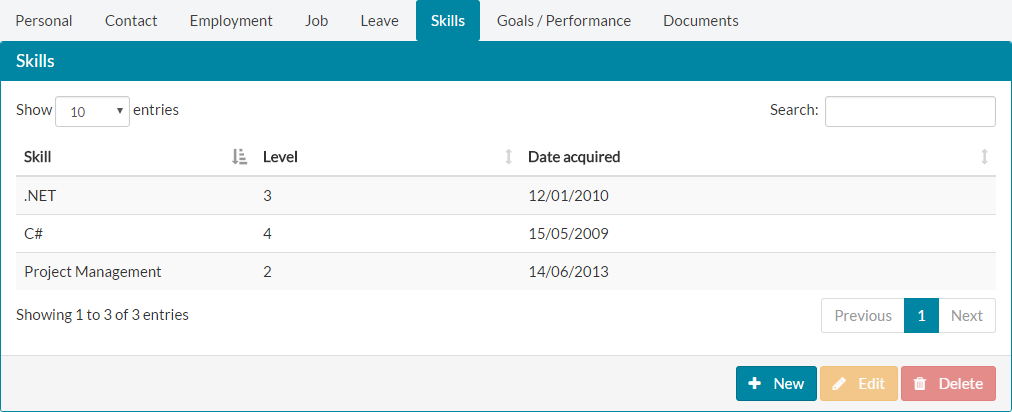
- Depending on how many skills have been recorded, the list may appear fairly empty or quite full. As you can see above, the example is fairly empty.
- You can use the table controls to search on the Skill column, display X entries per page and browse through different pages of your skills to find certain records or view a complete list of your skills. Each table column can also be sorted in ascending or descending order.
- Aside from listing any skills you already have, you can also add new, edit or delete skills using the buttons for each, as shown below.


Was this article helpful?
That’s Great!
Thank you for your feedback
Sorry! We couldn't be helpful
Thank you for your feedback
Feedback sent
We appreciate your effort and will try to fix the article