Applies to: All Employees, Team Leaders/Managers and HR/Customer Administrators
Adding skills to your employee record with MyPeople, may or may not be a requirement of your manager and/or organisation. However, it might be nice to have your skills listed for your manager to see, to showcase the skills you have.
- Under My Details and the Skills tab, you can add skills that you have, relevant to your role or organisation.
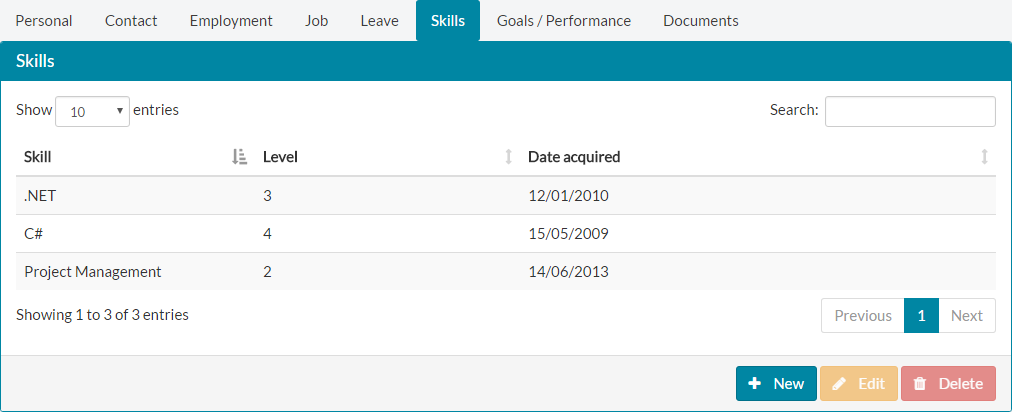

- To add a skill on the Skills tab of My Details, first click the +New button.
- The Skill Details form will open on screen.
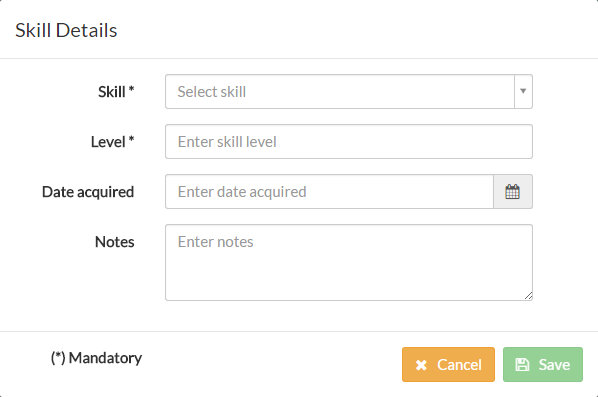

- There are four fields that can be populated, with Skill and Level set as required fields. These are the minimum pieces of information needed, to add a skill.
- The Skill* field is a drop-down menu containing pre-defined skills, managed as lookups by your HR or company administrator. If there is a skill you have, which isn't shown on the Skill drop-down, please contact your HR or customer administrator and ask them to add this to the Skills lookup section of the system.
- Select the Skill you have from the Skill* drop-down menu, followed by entering the level, date acquired and any notes relating to this skill.
- An example of a completed form and values, is shown below.

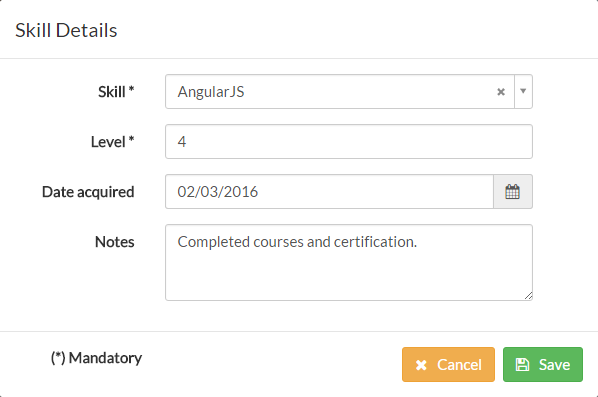
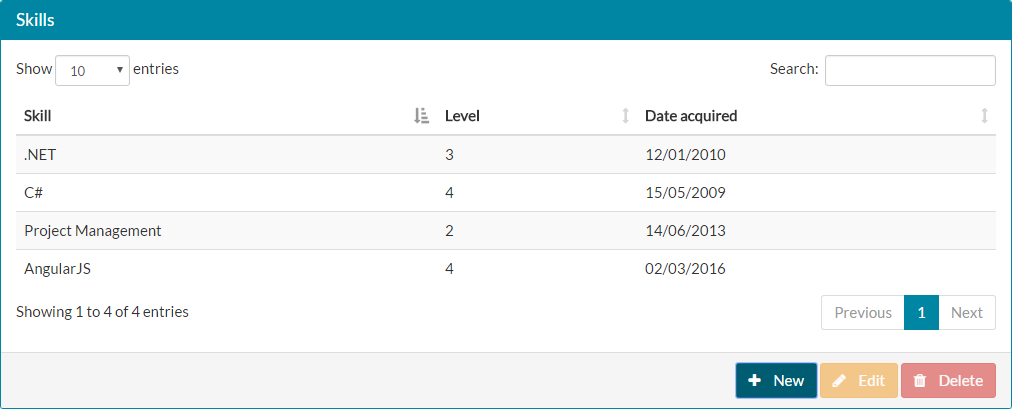
- Click save and the new skill will be added to your list of skills.

Was this article helpful?
That’s Great!
Thank you for your feedback
Sorry! We couldn't be helpful
Thank you for your feedback
Feedback sent
We appreciate your effort and will try to fix the article