Applies to: All Employees, Team Leaders/Managers and HR/Customer Administrators
The leave tab of my details, includes information about any leave you have taken, requested, is approved/declined by your manager or has been cancelled. This could be holiday, sickness, special or maternity/paternity leave.
There are also options for booking, amending or cancelling leave from this tab, as well as being able to do this via the Absence side menu, or dashboard panels.
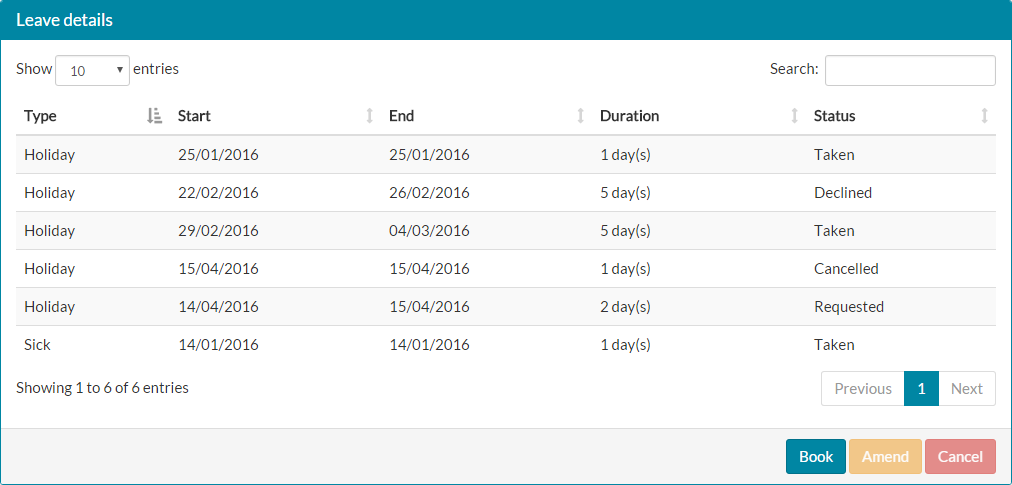
- Depending on how much leave you have recorded, this list may appear fairly empty or quite fall. As you can see below, the example is fairly empty.

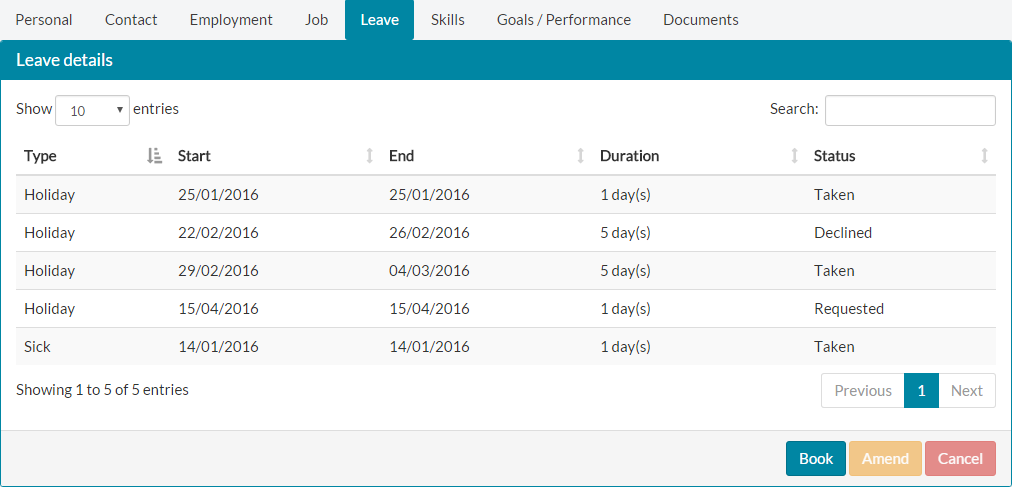
- You can use the table controls to filter on the Type column, display X entries per page and browse through different pages of your leave to find records or view your leave history. Each table column can also be sorted in ascending or descending order.
- You can also book, amend and cancel leave from the Leave tab of My Details.
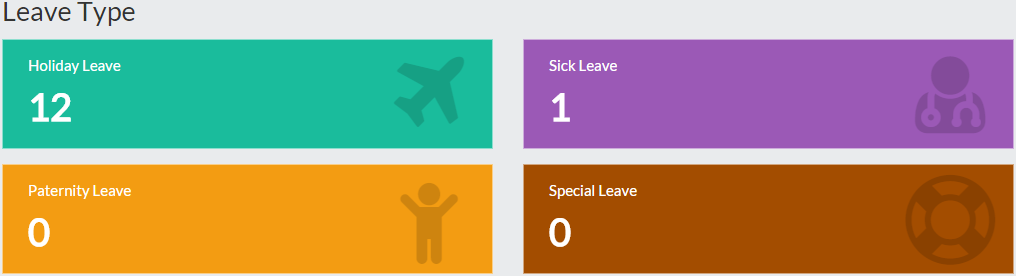
- Clicking Book will take you to the leave type screen shown below, where you can select to book Holiday, Sickness, Special or Maternity/Paternity leave.

- To amend or cancel leave from this, firstly highlight the leave record you wish to amend or cancel.

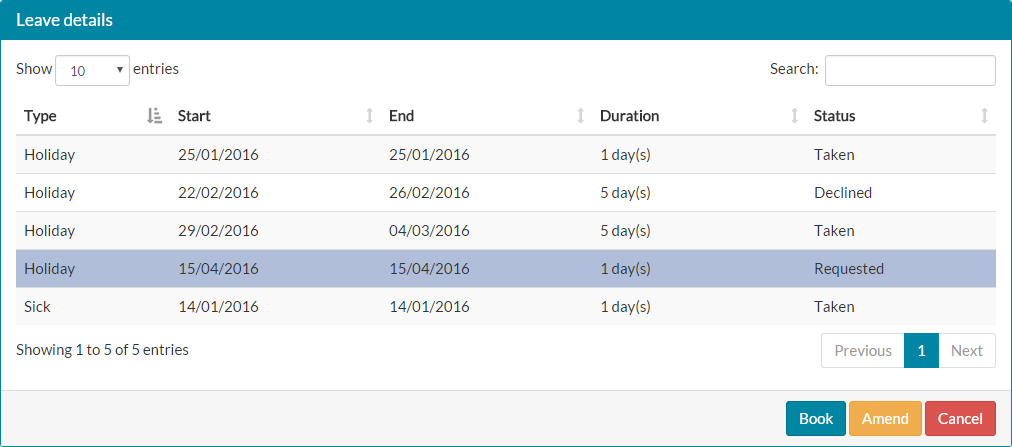
- Click Amend and the holiday amendment form will be loaded, initially loading the original requested start and end dates.

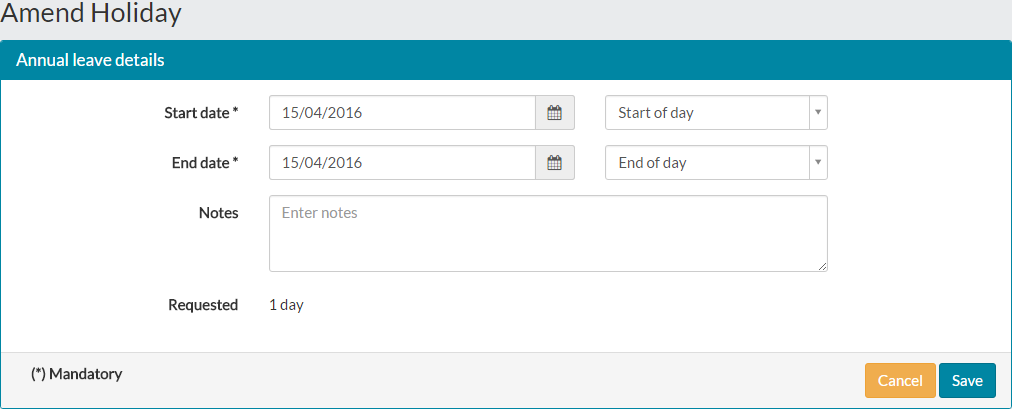
- Make your required adjustments to the leave, before clicking save.
- Your original leave request will then be marked as cancelled and a new request for the amended leave will be created, as well as sending an email to your manager for approval.

- To cancel leave on the Leave tab of My Details, highlight the record of leave to be cancelled in a similar way to amending leave and click the ‘Cancel’ button.
- The leave record will be set to cancelled, with an email sent to your manager advising them that this request has now been cancelled.
Was this article helpful?
That’s Great!
Thank you for your feedback
Sorry! We couldn't be helpful
Thank you for your feedback
Feedback sent
We appreciate your effort and will try to fix the article