Applies to: All Employees, Team Leaders/Managers and HR/Customer Administrators
You may need to edit some skills from time to time, which could be the level or acquired date if you've refreshed a certification for example.
- To edit an existing skill under My Details, first select the skill to be edited.
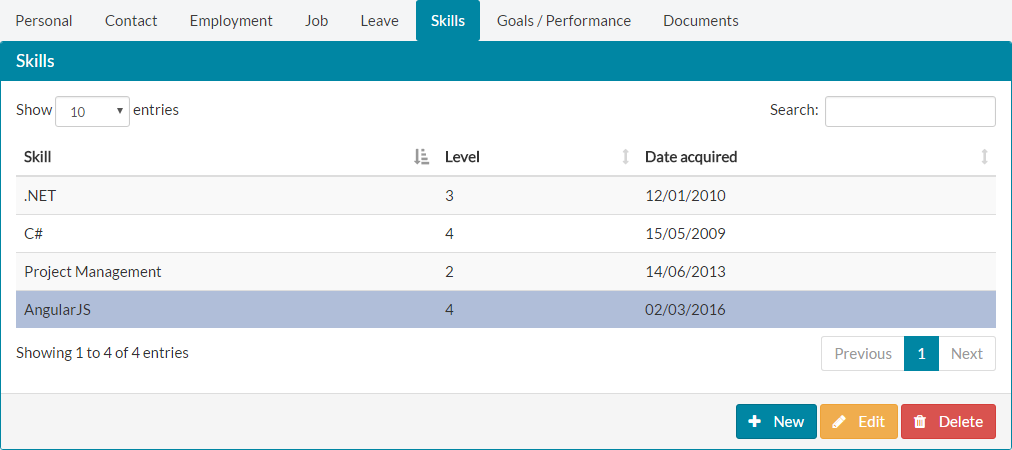
 Click the Edit button at the bottom of the skills window.
- The Skill Details will load on screen, with the current set of values for the selected skill.
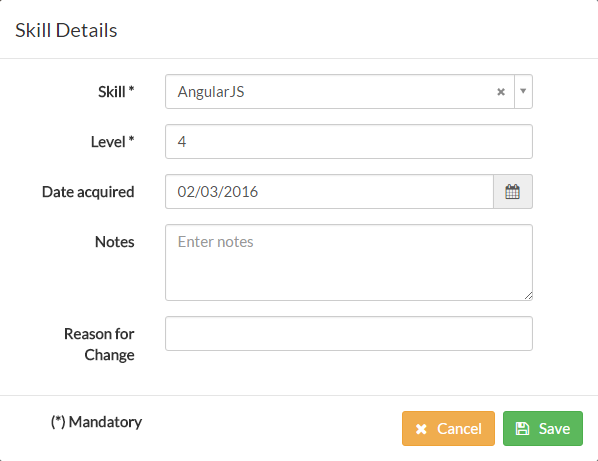

- Add or amend the values you need to, on the Skill Details form.
- For audit purposes, you could add a ‘reason for change’ note, but this is not required.

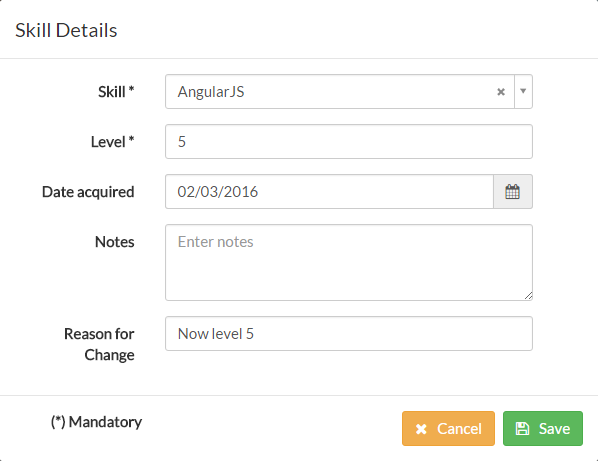
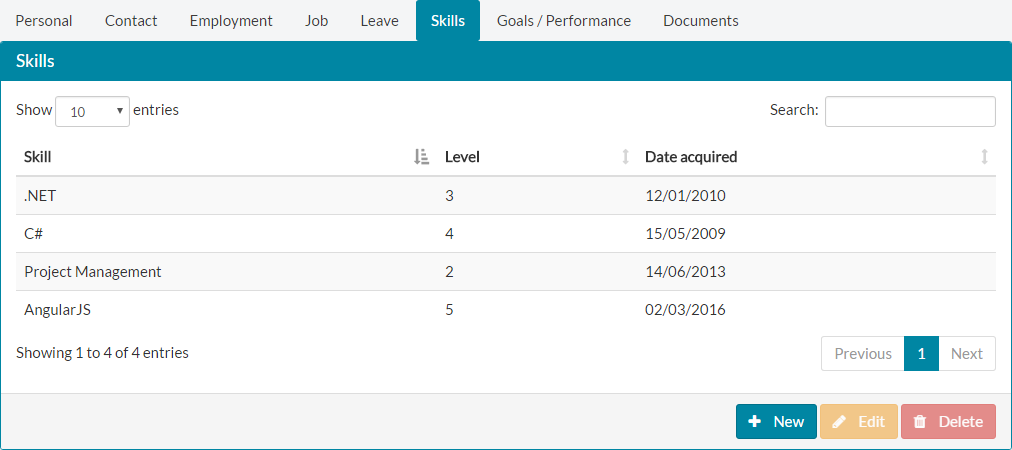
- Click save and the updated skill values will be updated in your list of Skills under My Details.

Was this article helpful?
That’s Great!
Thank you for your feedback
Sorry! We couldn't be helpful
Thank you for your feedback
Feedback sent
We appreciate your effort and will try to fix the article