Applies to: All Employees, Team Leaders/Managers and HR/Customer Administrators
Amendments to leave can only be made if your leave request is still in a requested status. This applies to all types of leave, which are holiday, sickness, special and maternity/paternity.
For leave that is in an approved or taken status, you’ll need to cancel the original request and raise a new request.
- You can make an amendment to requested leave, by first accessing your leave information.
- This can be accessed by one of the following methods.

 My Leave dashboard panel
 Holiday Left dashboard panel.
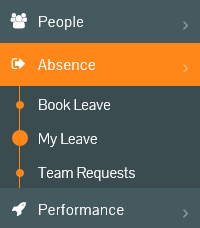 Absence -> My Leave side menu.
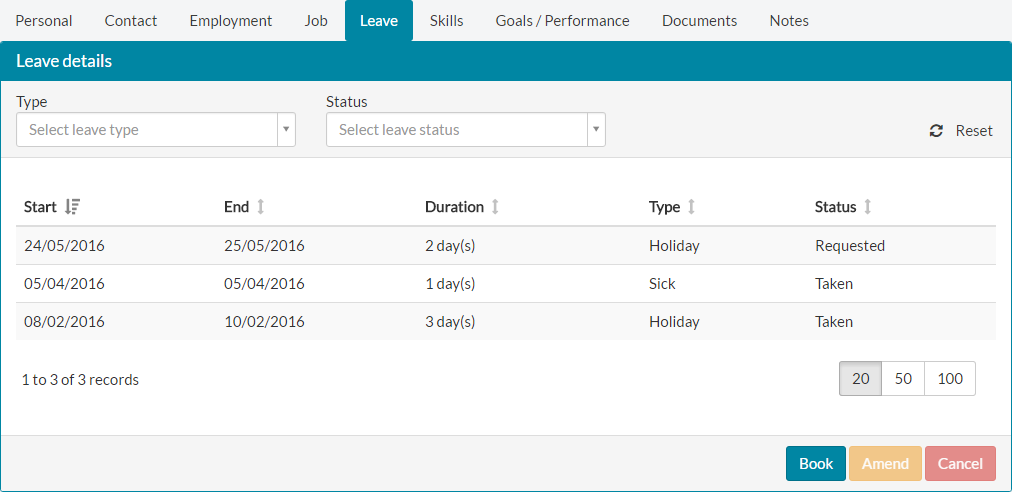 Leave tab under My Details
- Using any of the methods mentioned above to access your leave information, will display a table of your leave, similar to the table above.
- To amend your requested leave, select the leave record and click the amber amend button.

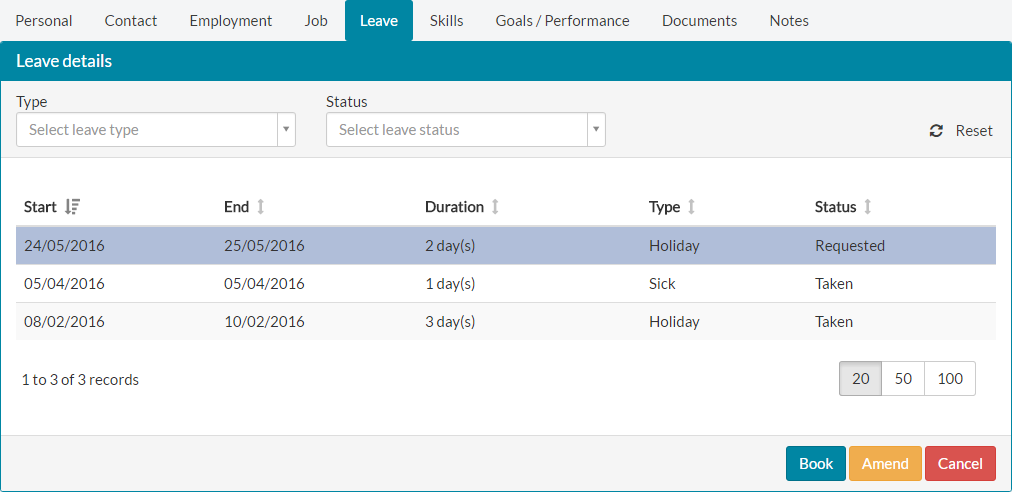
- The Amend leave details page will load, with the current requested leave information populated in the relevant fields.

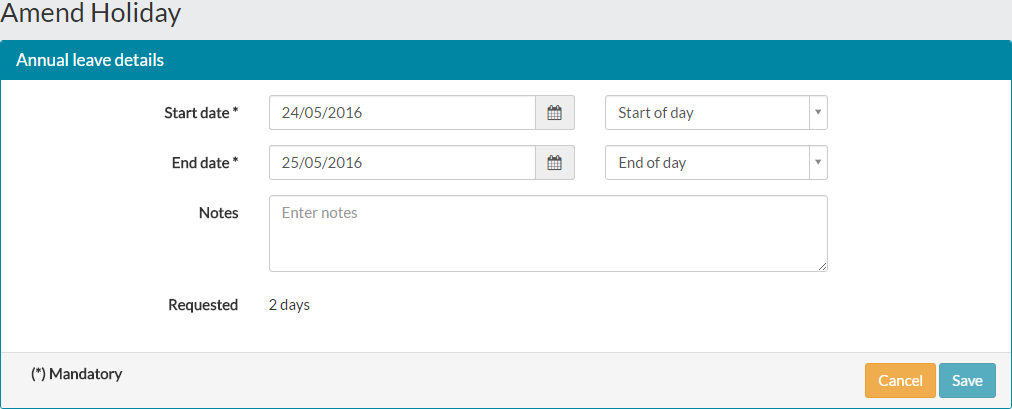
- Complete the amendments to your leave request, possibly utilising the optional notes section to let your team leader/manager know the reason for the amendment, before clicking save.
- After clicking save, the original leave request will be marked as cancelled, with a new request being automatically raised.

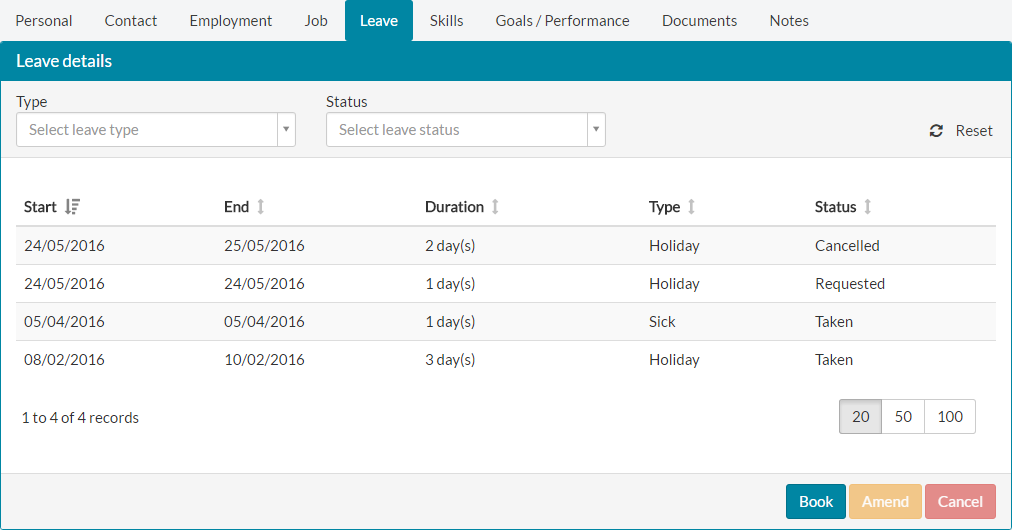
- In the above example, the original leave request for the 24th and 25th May 2016, was amended to include only the 24th The amendment resulted in the original request being cancelled and a new request being raised for the 24th May.
- An email and task notification detailing your amended leave request, will be generated for your team leader/manager for approval.
Was this article helpful?
That’s Great!
Thank you for your feedback
Sorry! We couldn't be helpful
Thank you for your feedback
Feedback sent
We appreciate your effort and will try to fix the article